
Insights
YouTube Just Made It One Click to Delete Your Song From the Video
MusicPromoToday Staff · November 7, 2026
Share this article
Copy the link or spread it on social.
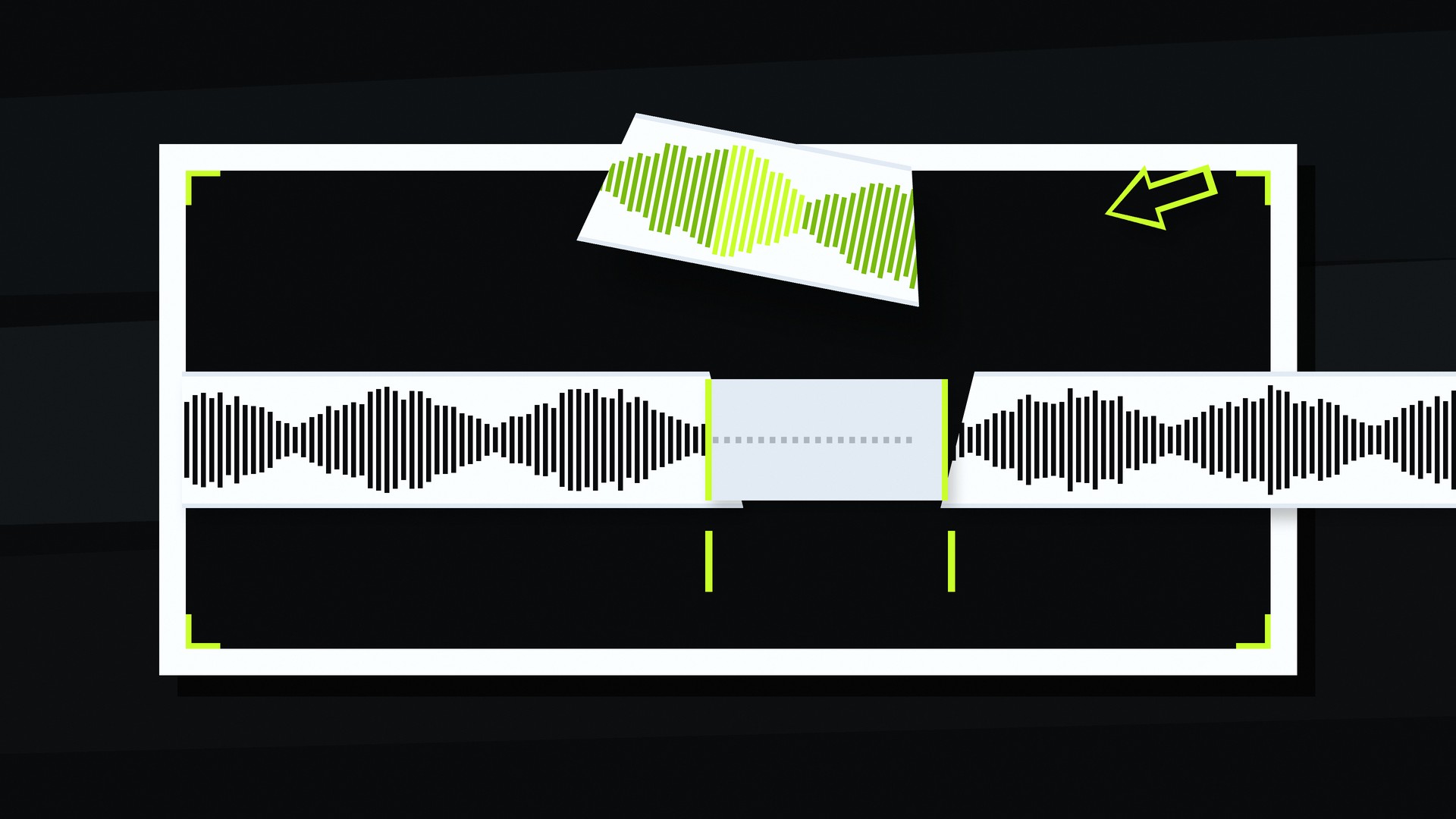
Every Content ID claim on a creator video is now one click away from your song being erased from the cut. In early November 2026, YouTube expanded the AI music creation feature inside Studio's Replace song tool beyond the U.S., so creators in most countries outside the European Economic Area can generate four royalty-free three-minute instrumentals, loop or volume them on the timeline, fully replace the claimed audio and watch the claim drop automatically. The license is YouTube-only. This is not a niche Studio toggle. It is a structural change in YouTube music marketing: creator campaigns that only hope UGC keeps the original track are outdated. Build the release campaign so creators never need Replace.
What Replace song actually does to your track
Strip the feature to the operator facts. When a video picks up an audio Content ID claim, the creator opens Replace song in YouTube Studio desktop, hits Create under Suggestions and gets four generated instrumental backgrounds with no prompt required. Each track runs three minutes. They can preview, regenerate another set, loop, adjust volume or download. Once the claimed audio is fully replaced with the new track, the Content ID claim is removed after processing. YouTube's Replace song help still lists the older fixes too: trim the section, erase the song or swap in Audio Library music. The AI Create button is just the newest, fastest path.
Two boundaries matter for artists and labels. First, the generated music is licensed for YouTube content only; a download does not clear use on other platforms. Second, Studio mobile does not have the tool yet. Desktop is where the replace happens today. Treat that as a temporary constraint, not a strategy. The direction of travel is clear: claim resolution that does not require the creator to keep your song.
Do not confuse this with YouTube's prompt-based music tools, Music Assistant, Creator Music or Lyria-style generation. Replace song's Create flow does not take a written prompt. It is a claim-resolution instrument, built to get a video back to clean audio with the least friction for the uploader.
Content ID claims are not strikes — and monetize is the default
Campaign operators still mix up claims and strikes. Content ID claims are different from copyright removal requests and copyright strikes. A claim usually hits the video, not the channel. The rights owner can block, track or monetize the match, and those policies can vary by country. Monetization is the most common policy for music claims.
That last point is the trap. For years, many artist teams treated a monetized claim on UGC as a quiet win: the video stayed up, the song stayed in the cut, someone collected. Replace song flips the incentive for the creator. If the claim is annoying, confusing or blocks features they care about, one Studio click can strip your audio and drop in YouTube-only filler. The claim goes away. So does your track. The creator keeps their video. You lose the UGC placement.
Replacing the track also does not give the creator any rights to the original song. It only removes the match. From a marketing seat, that distinction is academic once the waveform is gone.
Why "hope the UGC keeps the song" is dead as a creator campaign
Most YouTube music marketing still runs on a soft assumption: seed the track, get creators to use it, let Content ID catch the rest and celebrate the placements. That model assumed friction on the creator side. Editing out a claimed song used to mean opening an editor, finding a replacement, re-exporting and re-uploading or fighting the claim. Friction protected your audio by accident.
That friction is collapsing. The May 2026 U.S. desktop debut of AI Replace already proved creators would take the fast path when it appeared; the November expansion puts the same button in front of a much larger creator base. Coverage of the rollout spells out the YouTube-only license, the four-track batch, the EEA exclusion and the desktop limit, and earlier reporting on the U.S. launch framed the same one-button claim fix. The operator read is simple: every claimed UGC cut is now a replace candidate.
If your release campaign's YouTube plan is "get the sound into creator videos and hope," you are planning for a world that just got smaller. The creators who care about clean monetization, clean analytics or a clean upload will hit Replace before they hit your label's claim inbox.
Build creator paths that never need Replace
The fix is not to abandon Content ID. The fix is to make staying on your song easier than leaving it. That is a release-campaign design problem, not a legal memo.
- Cleared paths first. Official sounds, white-label creator kits, stems and short hooks delivered with explicit YouTube-safe usage notes beat a naked upload that only Content ID can explain. If a creator has to guess whether they are allowed to use the track, they will guess wrong and then Replace.
- Shorts and UGC briefs that name the cleared cut. Do not send "use the song." Send the exact 15-, 30- and 60-second windows, the visual ideas and the link or sound that is already cleared for the formats you want. The same discipline that shows up when you build Shorts around original music instead of recycled audio applies here: make the right cut the path of least resistance.
- Creator seeding that uses licensed music. Paid and organic creator work should start from a licensed or platform-approved sound, not from a creator ripping your master into an edit and waiting for a claim. That is what serious influencer and UGC marketing is for: brief, clear, deliver, track.
- Official YouTube surfaces. Treat YouTube music promotion as the place you control the audio story: official video, Shorts from the artist, community posts and creator kits that point back to the cleared sound. UGC should amplify that story, not invent a rights mess you then "win" via claim.
This is the opposite of hoping Content ID trains creators to keep your track. Content ID will increasingly train creators to remove whatever tripped the match. Your campaign has to train them to never trip it in the first place — because they already had a cleared way in.
Rewrite your Content ID policy for creator survival
Rights policy is now part of the marketing brief. If every match monetizes by default and every annoyed creator can Replace, a pure "claim and collect" posture will quietly delete your UGC graph. Run a policy pass before the next single:
- Map claim outcomes by market. Know where you block, where you monetize and where you track. Monetize-everywhere is not a strategy if creators in your priority markets treat claims as a bug to delete.
- Separate fan edits from commercial misuse. A fan dance cut that drives discovery is not the same problem as a full-song reupload. Policy that cannot tell them apart will punish the placements you want.
- Pair claims with creator outreach. When a high-value video gets claimed, have a path that offers the cleared sound, a kit or a collab note instead of only a revenue split. Replace is the creator's easy button; make your easy button better.
- Do not rely on the claim as proof of marketing. A claim count is not a creator campaign KPI. Retained original audio in living UGC is. Measure the placements that still play your song a week later.
Labels and distributors that treat Content ID as a back-office tax will keep watching creator videos go silent. Teams that treat it as a product decision inside the release campaign will keep the audio.
Where this sits next to other YouTube AI music moves
Replace song is not the same story as AI song labels on YouTube Music, and it is not the same story as prompt-to-music tools for creators who want a custom bed. Labels on generated tracks answer "how was this made." Replace answers "how do I get this claim off my upload." Living-room and CTV shifts change where the video plays; Premiere-style edit-app licensing changes where the song gets picked before upload. This post is about what happens after a claim lands: your audio can be surgically removed and swapped for YouTube-only filler in one Studio flow. For more on the labeling side of the stack, see the earlier read on YouTube Music AI labels and what they mean for campaigns. For the screen-shift side, the living-room music video campaign and the Premiere mobile licensed music creator campaign cover different layers of the same year. Do not collapse them into one "AI music" slide.
Operator checklist for the next release campaign
Before you book YouTube creator spend or ship another UGC ask, run this:
- Ship a cleared YouTube path: official sound, kit, stems and usage note that a creator can follow without triggering a claim.
- Brief Shorts and long-form creators on the exact cut and the cleared entry point, not on "use the song somehow."
- Route paid creator seeding through licensed or platform-approved music so the first upload is already clean.
- Audit Content ID policies by territory; stop treating universal monetize as free UGC insurance.
- Track retained original audio in UGC, not claim volume, as the health metric.
- Keep music PR and music advertising pointed at the same cleared story the creators got, so press and paid do not invent a second rights path.
YouTube music marketing that survives Replace is the marketing that makes Replace unnecessary. Cleared paths, official sounds, creator kits, Shorts and UGC briefs, a Content ID policy that does not teach creators to nuke your track, and paid seeding that starts licensed — that is the release campaign. At MusicPromoToday, that is how YouTube creator work gets built: assume the replace button exists, then design so nobody needs it. The same standard sits behind our MusicPromoToday YouTube and UGC programs across genres and territories, operating since 2012 with 3,000+ campaigns in 40+ markets. If you want the next single built so creators keep the track instead of replacing it, Plan My Release with MusicPromoToday.